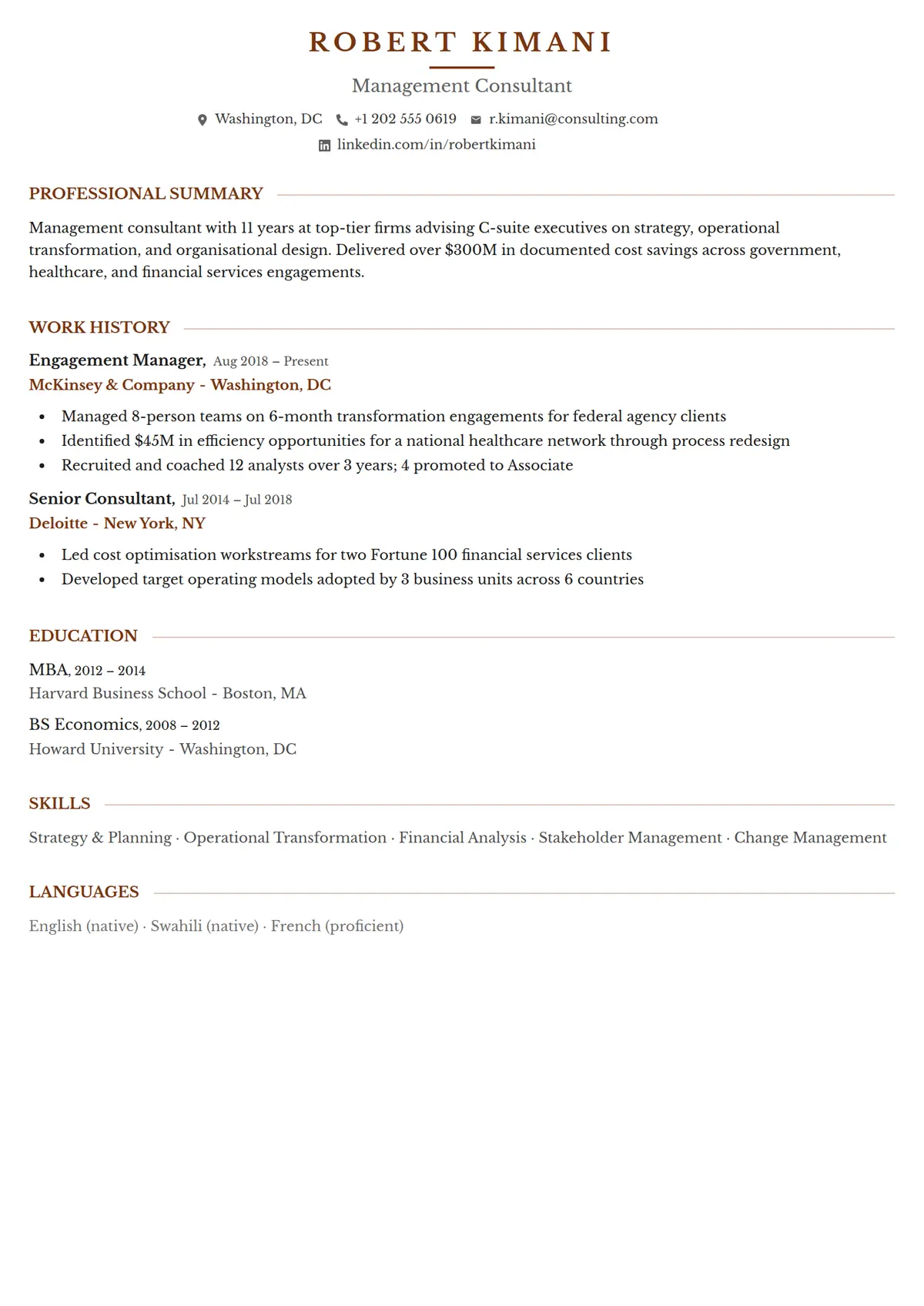
About the Executive template
Executive centres each section heading and extends a rule out from both sides of it, which gives a plain one-column CV a formal spine. It is written for senior applications where a long record needs to read in order and without decoration.
Read the management consultant resume shown hereRobert Kimani’s resume in full, with notes on why each part works.How it is built
- Section headings centred between two extending rules
- One column and no photo, so a long record reads straight down the page
- Spacing tuned for a long history, so ten roles still read cleanly
- Style
- Traditional · Corporate · Professional
- Best for
- Business · Legal · Finance · Education · Healthcare · Admin & Office
- Career stage
- Senior / Executive
- Layout
- One Column · Without Photo
- Photo
- No photo
Templates with a similar look
These share at least one style with Executive, so they are the closest alternatives if the proportions here are not right for your history.
- HingeA one-column resume hung on a thin yellow rail, with bold capital labels in a left margin and a yellow disc wherever a section rule crosses the rail
- StrataA one-column resume in full-width grey and white bands, each section headed by a blue icon square over its label in a left margin
- CypressA one-column serif resume with a round photo, the name in bold teal and teal headings centred between thin rules
- CanaryA thin yellow band over a white page, a name underlined line by line, and a square photo laid over a drawn frame
- RookA near-black column down the left edge carrying every heading in teal capitals, with a crossed monogram at its head
- PlacardA charcoal band across the head of the page with the name on a yellow plate, yellow icon discs and two ruled columns
Already have a resume?
Check it against the ATS before you reformat it. The score tells you what to fix, and this template is waiting when you are ready.
Check my resume