About the Charcoal template
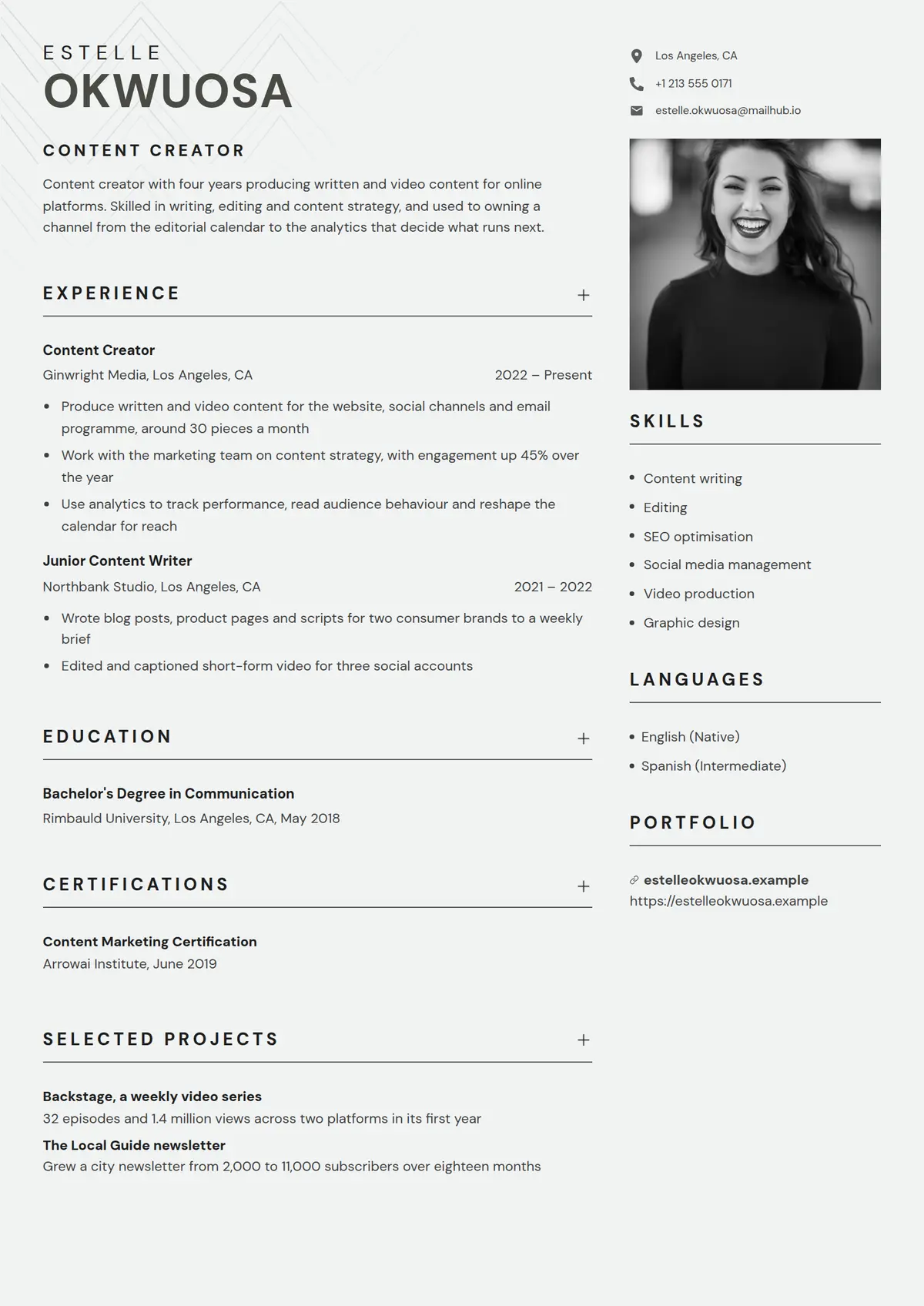
Charcoal is a white page in two columns with the name at the head of the wide one: the first name in light spaced capitals and the surname beneath it in large heavy capitals in the accent. The job title follows as a spaced bold label over the profile, standing in for its heading. The narrow column opens with the contact details beside grey icons and a square portrait, then skills, the portfolio links and languages. Every heading is bold spaced capitals over a dark rule the width of its column, and in the wide column a small plus sits against the right end of the heading, a section the writer adds included. A role reads as the title in bold, then the employer at the left and the dates against the right, then bullets; a degree reads as the award in bold over the school with its city and year. It suits a content creator, a writer or an editor who wants a photograph and a page that stays in one ink.
Read the content creator resume shown hereEstelle Okwuosa’s resume in full, with notes on why each part works.How it is built
- The first name in light spaced capitals over the surname in large heavy capitals in the accent
- The job title as a spaced bold label over the profile, in place of a heading
- Every heading bold spaced capitals over a dark rule the width of its column, with a small plus against the right end in the wide column
- Contact details beside grey icons over a square portrait in the narrow column
- A role as the title in bold, then the employer at the left and the dates against the right, then bullets
- Languages as a bulleted list with the level in brackets
- Style
- Modern · Simple · Creative
- Best for
- Marketing & Sales · Design & Creative · Other
- Career stage
- Entry Level · Mid Level
- Layout
- Two Column · With Photo
- Photo
- Includes a photo
Templates with a similar look
These share at least one style with Charcoal, so they are the closest alternatives if the proportions here are not right for your history.
- HingeA one-column resume hung on a thin yellow rail, with bold capital labels in a left margin and a yellow disc wherever a section rule crosses the rail
- StrataA one-column resume in full-width grey and white bands, each section headed by a blue icon square over its label in a left margin
- FizzPink, pale blue and sand discs crowding the top right corner, and every heading a pale blue pill led by a pink icon square
- CypressA one-column serif resume with a round photo, the name in bold teal and teal headings centred between thin rules
- CloverThe name in two olive blocks and every heading opened by an olive square with a white plus, over two even columns
- CanaryA thin yellow band over a white page, a name underlined line by line, and a square photo laid over a drawn frame
Already have a resume?
Check it against the ATS before you reformat it. The score tells you what to fix, and this template is waiting when you are ready.
Check my resume