About the Bloom template
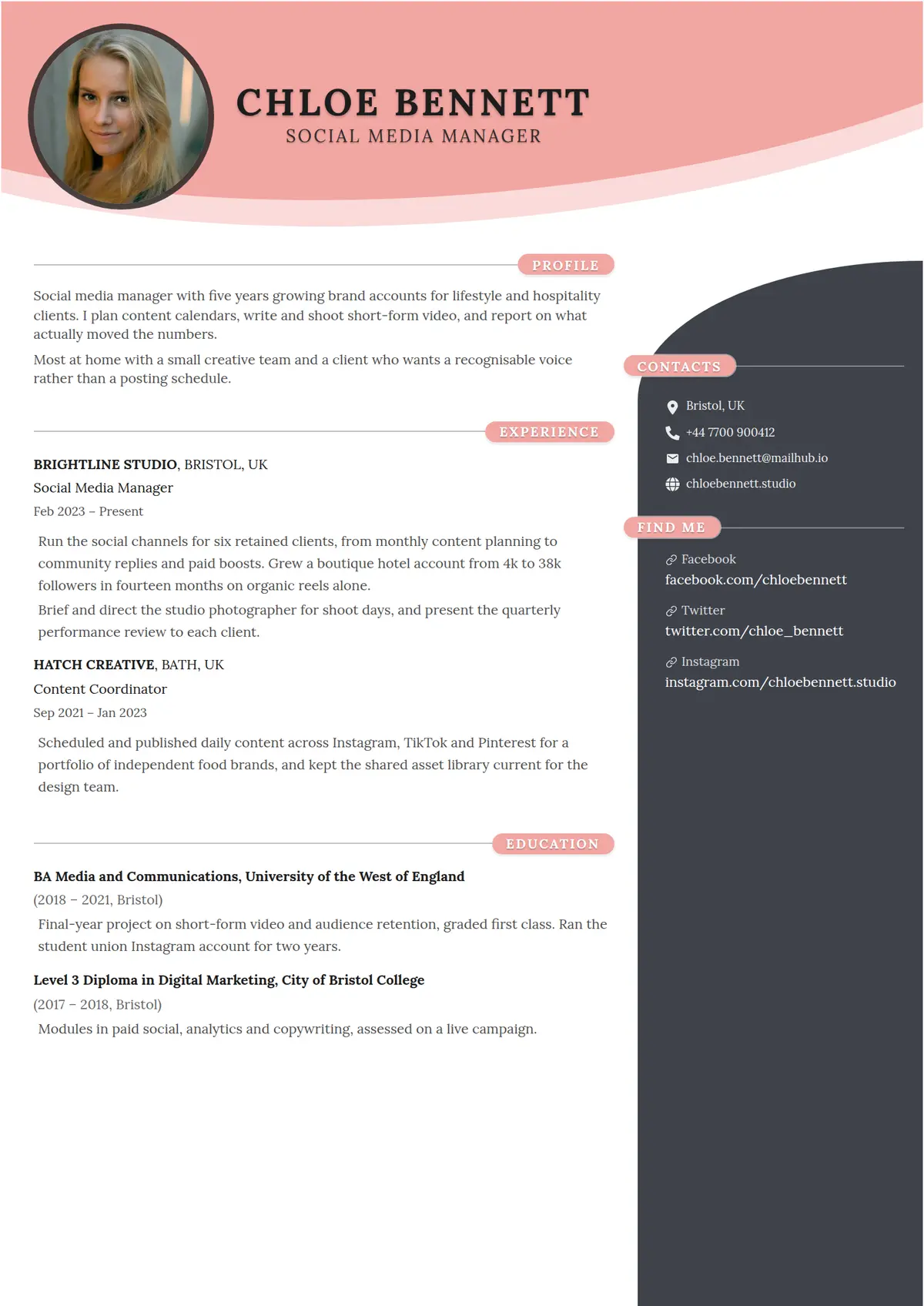
Bloom sweeps an accent arc across the top of the page, with a round photo on the left and your name centred beside it in serif capitals. A charcoal panel curves in from the right lower down to hold your contact details and social links, while every section heading sits in an accent pill at the end of a thin rule.
Read the social media manager resume shown hereChloe Bennett’s resume in full, with notes on why each part works.How it is built
- An accent arc across the header with a round photo set into its left end
- A charcoal side panel whose top-left corner curves into the page below the header
- Section headings in accent-coloured pills at the end of a thin rule, in the side panel as well as the main column
- A social links section the panel labels Find Me, with the link icons picked out in the accent
- Style
- Creative · Modern
- Best for
- Marketing & Sales · Design & Creative · Customer Service
- Career stage
- Entry Level · Mid Level
- Layout
- Two Column · With Photo
- Photo
- Includes a photo
Templates with a similar look
These share at least one style with Bloom, so they are the closest alternatives if the proportions here are not right for your history.
- HingeA one-column resume hung on a thin yellow rail, with bold capital labels in a left margin and a yellow disc wherever a section rule crosses the rail
- StrataA one-column resume in full-width grey and white bands, each section headed by a blue icon square over its label in a left margin
- FizzPink, pale blue and sand discs crowding the top right corner, and every heading a pale blue pill led by a pink icon square
- CloverThe name in two olive blocks and every heading opened by an olive square with a white plus, over two even columns
- CanaryA thin yellow band over a white page, a name underlined line by line, and a square photo laid over a drawn frame
- HornetA full-width yellow band with a slanted foot over a near-black page, a square photo and heavy black capitals for the name
Already have a resume?
Check it against the ATS before you reformat it. The score tells you what to fix, and this template is waiting when you are ready.
Check my resume